IVR System Testing
Interactive Voice Response (IVR) systems are the front door to your business. When they break — routing callers to the wrong department, playing incorrect prompts, or failing to respond to input — customers get frustrated and abandon calls. IVR System Testing automates the continuous validation of your entire IVR tree.
PNM navigates each menu path using DTMF tones or audio responses, verifies that the correct prompts are played, confirms that routing sends callers to the right destination, and checks that all branches are functional. Any deviation from expected behavior triggers an immediate alert.
IVR testing is one of the five types of phone line monitoring — see the complete 2026 guide for the full picture.
- No credit card required
- Full feature access
- Cancel anytime
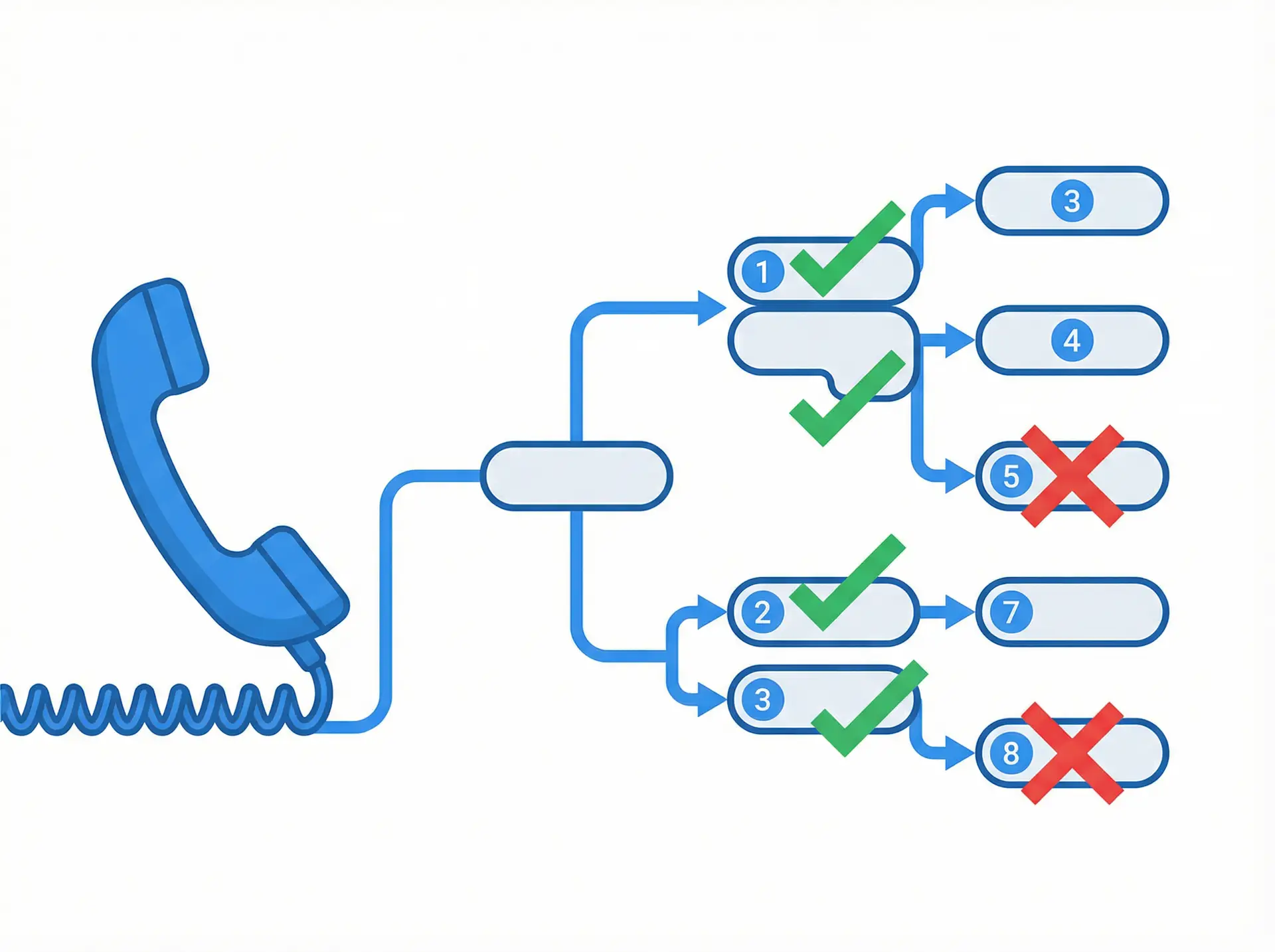
- Test Every Path, Avoid Every Failure
What is IVR System Testing?
- Full IVR tree navigation with DTMF and audio responses
- Menu path verification — confirms each option routes correctly
- Audio prompt validation — detects missing or incorrect recordings
- Multi-level menu support for complex IVR structures
- Routing destination verification at each branch
- Broken branch detection — identifies dead ends and loops
- Scheduled and on-demand test execution
- Detailed path reports showing pass/fail status for each branch

Everything You Need
A complete toolkit designed to give you full visibility and control over your phone line performance.
Full Tree Navigation
PNM traverses every branch of your IVR menu tree, testing each option and sub-option to ensure complete coverage of all possible caller paths.
Routing Verification
Confirm that each menu option routes callers to the correct destination — the right department, queue, or agent group — every time.
Broken Branch Detection
Identify dead ends, infinite loops, and silent failures in your IVR tree that would leave callers stranded without reaching help.
Prompt Timing Validation
Verify that audio prompts play within expected timeframes and that the system waits appropriately for caller input before timing out.
Visual Path Reporting
View test results mapped to your IVR tree structure, with green/red indicators showing which paths passed and which failed.
Continuous Regression Testing
After any IVR change or system update, automated regression tests verify that existing paths still work correctly and no new issues were introduced.
Audio Content Validation
Detect when audio prompts are missing, distorted, or playing the wrong recording — issues that confuse callers but don't cause outright failures.
Change-Triggered Alerts
Receive immediate alerts when IVR behavior changes unexpectedly — whether from a system update, configuration error, or infrastructure failure.
How It Works
Simple to set up, powerful in practice. Get started in minutes with no hardware required.
Map Your IVR Tree
Define each menu level, the expected prompts, the DTMF or audio responses to send, and the expected routing destination for each path.
PNM Navigates the Menu
PNM calls your number and systematically navigates each branch of your IVR tree, sending the configured responses at each step.
Results Are Verified
Each path is checked against expected outcomes. Routing destinations, prompt timing, and response handling are all validated.
Reports & Alerts
A detailed pass/fail report is generated for each test run. Any failures trigger immediate alerts to your team.
Why Teams Choose This Feature
- Catch IVR misroutes within seconds of a system change — before customers are affected
- Eliminate manual IVR testing that is time-consuming, error-prone, and incomplete
- Reduce customer complaints caused by broken IVR paths and incorrect routing
- Accelerate IVR change deployments with automated regression testing
- Maintain complete audit trails of IVR test results for compliance reporting
- Identify IVR design flaws that cause caller abandonment and frustration
- Support multi-language IVR validation across different caller experience paths
Ready to get started?
Join thousands of businesses that rely on Phone Number Monitoring to keep their phone lines performing at their best.
Who Uses This Feature
Trusted by organizations across industries that depend on reliable phone communication.
Call Centers
Continuously validate that IVR menus route callers to the correct queues and agents. Detect misroutes immediately after any system change.
Healthcare Providers
Ensure appointment scheduling, prescription refill, and emergency routing paths all function correctly to protect patient safety.
Banks & Financial Institutions
Verify that account inquiry, fraud reporting, and customer service IVR paths route correctly and comply with regulatory requirements.
Telecom Providers
Test customer service IVR systems across multiple regions and languages to ensure consistent caller experiences.
Retail & E-Commerce
Validate order status, returns, and customer support IVR paths — especially before and after peak shopping season system updates.
Insurance Companies
Test claims reporting, policy inquiry, and emergency assistance IVR paths to ensure customers can always reach the right department.
Frequently Asked Questions
How does PNM navigate IVR menus?
PNM uses DTMF tones (keypad presses) and pre-recorded audio responses to interact with your IVR system, exactly as a real caller would.
Can PNM test multi-level IVR trees?
Yes. PNM supports complex multi-level IVR structures with branching paths, sub-menus, and conditional routing.
How do I define what the correct routing destination is?
When configuring your IVR test plan, you specify the expected outcome for each path — such as reaching a specific queue, hearing a specific prompt, or receiving a response code from an agent.
Can I test IVR changes before they go live?
Yes. PNM can test IVR systems in staging or pre-production environments before changes are deployed to production.
What types of IVR failures does PNM detect?
PNM detects misrouting, broken branches, silent failures, timeout errors, missing audio prompts, and unexpected routing changes.
Start Monitoring Today — Free Trial
No credit card required. Set up in minutes. Experience the full power of Detailed Analytics with a free trial account.
No credit card required • Full access to all features • 30-day trial