IVR Testing
IVR Testing
IVR testing means calling your own menu tree and checking that every option still does what it is supposed to do. Phone Number Monitoring does it on a schedule: it places a real call over the carrier network, walks the branch you configured using DTMF tones or recorded audio, checks each response against what you declared, and escalates to your on-call team when a branch breaks.
It runs from outside your network, which is the point. Your internal monitoring can tell you the SIP trunk is registered and the queue is up. Only an inbound call tells you whether a customer can actually get through.
- No credit card required
- Published pricing
- Set up in an afternoon
What IVR testing is
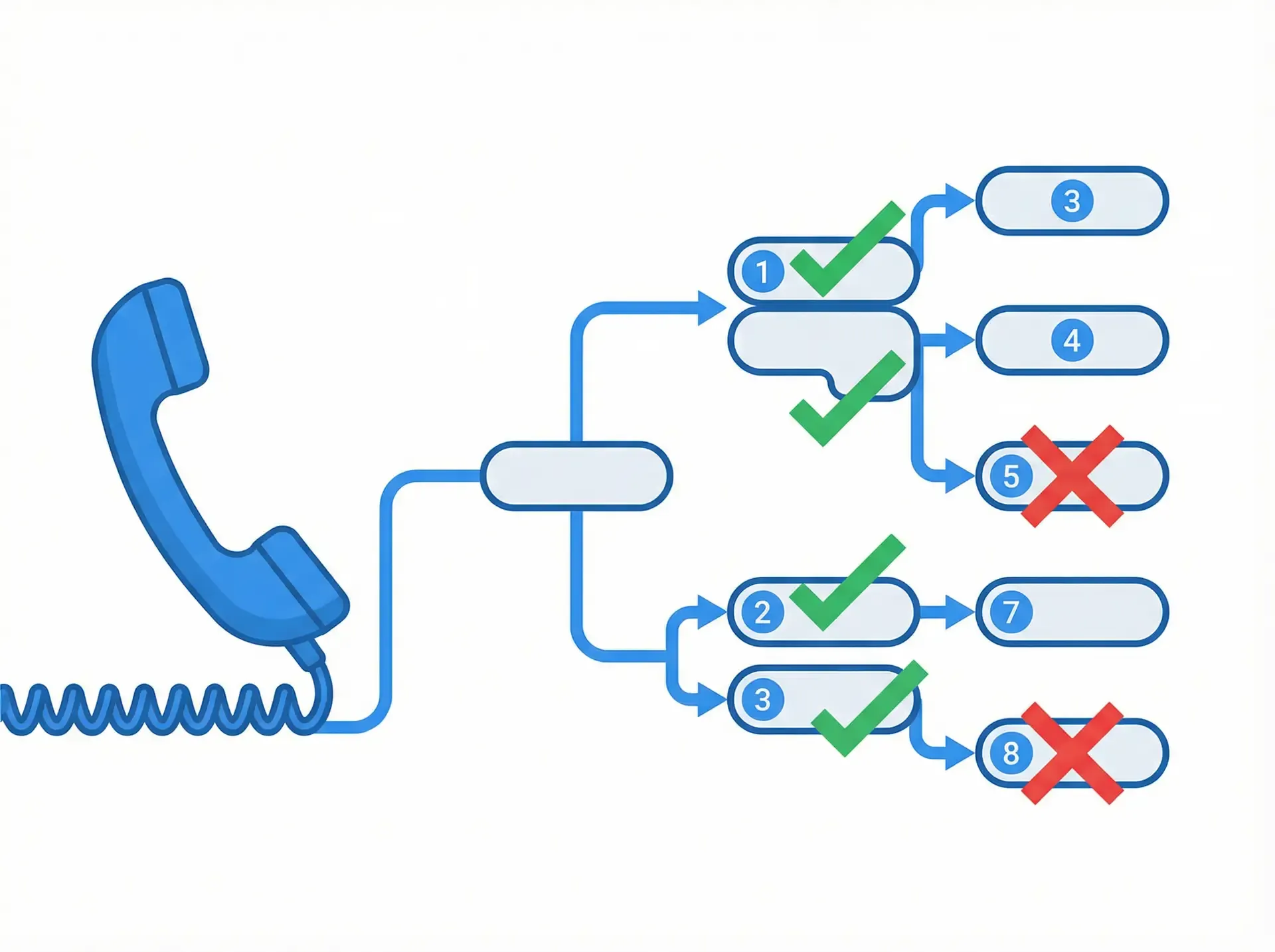
An IVR is a decision tree that a caller navigates with their keypad or their voice. Testing it means proving that each path through that tree still ends where it should.
There are two distinct things people mean by the phrase, and conflating them is why teams end up with coverage they think they have and do not:
- Pre-release testing. You changed the call flow and you want to know you did not break anything before it ships. This is QA, it is a one-off, and it happens against staging.
- Continuous testing in production. The same checks, running on a schedule against the live number forever. This is what catches the carrier fault, the expired recording and the colleague who edited the call flow on a Friday. Run continuously, IVR testing becomesIVR monitoring.
The second one is where the value is, and it is the one almost nobody does by hand, because doing it by hand means somebody phoning their own company all day.
What a failed test tells you
Every run is recorded, so a failure comes with evidence rather than a red dot:
- Which branch failed, and at which step
- The digits or audio sent at each step
- What the IVR returned versus what was expected
- Connect time, and for Premium plans hold time to the second
- An audio recording of the call
- The alert trail: who was notified, on which device, and when
The mechanism
How the test call works
Describe the path
Build the test as a sequence: wait for the prompt, send digit 2, wait, send digit 1, listen for the expected response. Each step names what you expect back.
A real call is placed
Phone Number Monitoring dials your number over the carrier network. This is an ordinary inbound call, from outside your infrastructure, exactly like a customer’s.
Each step is checked
Responses are matched against what you declared. The digits sent, what came back, and the outcome of every step are written to the call history with an audio recording.
Failures escalate
After the configured retries, alert groups fire in order until someone acknowledges: phone, SMS, email, webhook.
Full Tree Navigation
DTMF and Voice Input
Response Code Validation
Voice Recognition
Retry Before Alerting
Escalating Alerts
Schedules and Holidays
Recorded Evidence
Coverage
Scenarios and test cases worth writing
Every branch reaches its destination
One test case per menu option. Press 1, confirm you land in Sales. Press 2, confirm Support. The most common failure is not a dead IVR. It is option 3 quietly routing to the wrong queue after someone edited the call flow.
Deep paths, not just the first level
Most IVR bugs live two or three levels down, where nobody tests by hand. Write a case for each full path a caller can actually take, not just the top menu.
The prompt says what it should
Route correctness and prompt correctness are different failures. A menu can route perfectly while announcing hours that changed in January. Use voice recognition to assert on the words.
Invalid and no input
Press a key that is not on the menu. Press nothing and let it time out. Both should recover gracefully, and both are routinely broken by IVR edits because nobody walks the unhappy path.
Timeout and retry behaviour
Confirm the system waits the interval it is supposed to before re-prompting, and that it does not drop the caller after a single miss.
The after-hours and holiday tree
Out-of-hours routing is a whole second IVR that almost never gets tested, because testing it means working late. Schedule the test instead.
The path to a human
Whatever your zero-out or “speak to an agent” path is, test it on its own schedule. It is the path callers use when everything else has failed them, so it is the worst one to have broken.
Each toll-free number and region
The same IVR reached through a different DID or a different carrier can behave differently. Test per number, not per IVR.
Regression testing after every change
Most IVR incidents are not infrastructure failures. They are edits: a new option inserted into the main menu, a re-recorded prompt, a queue renamed, a holiday schedule left switched on into January. The system is healthy by every internal metric and still routing people to the wrong place.
Because a test plan is just a stored sequence of steps and expected responses, the regression suite is the same set of plans you already run. After a change you either wait for the next scheduled run or trigger one immediately, and you know within a minute whether the paths that worked yesterday still work.
The same applies to migrations. Moving from an on-premise PBX to a cloud contact centre, or porting numbers to a new carrier, is exactly the situation where a path silently stops working and nobody notices for a week. Run the suite against both the old and new numbers during cutover and the difference shows up immediately.
Manual testing, and where it stops
Manual IVR testing is fine at small scale and it is how most teams start. Someone calls the main number, walks a few options, hears what they expect and closes the ticket.
It stops scaling for three reasons, in this order:
- Combinatorics. Four options with four sub-options each is sixteen paths. Two more levels and nobody is walking them all.
- Timing. A manual test proves the IVR worked at 2pm on Tuesday. It says nothing about 2am on Sunday, which is when the carrier maintenance window is.
- Evidence. “I called it and it was fine” is not something you can put in front of an auditor or an unhappy customer.
Automation does not replace the judgement in manual testing. It replaces the repetition, and it covers the hours nobody is awake for.
Why teams run this
- Find a broken branch in minutes rather than when a customer finally complains
- Test from outside your network, so you catch carrier and DID faults your internal monitoring cannot see
- Prove the IVR was working, or was not, with a recording of the actual call
- Cover the after-hours tree without anyone working after hours
- Ship IVR changes faster, because regression coverage is automatic rather than a manual afternoon
- Keep an audit trail of scheduled tests for compliance reviews
Who runs it
Contact centre operations
Telecom and VoIP engineers
Healthcare and emergency lines
Financial services
No quote required
What IVR testing costs
The plan
IVR tree navigation and DTMF testing are Premium Plan features. Premium starts at$199.99 per month for up to 5 monitored lines, and scales to $1,108.46 for 100 lines.
Basic Monitoring, from $9.99 per month, checks whether a line is reachable at all. It does not walk menu trees. If IVR paths are what you need to test, you need Premium.
A worked example
One toll-free number with a six-branch menu. You walk the full tree twice a day to catch configuration changes, and each walk takes about two minutes of call time.
- Premium Plan, 5 lines
- $199.99 / mo
- 60 test calls, ~3 credits each
- ~180 credits
- 300-credit package
- $29.95
- Roughly
- $230 / mo
US and Canada calls cost 1 credit; international calls cost 1–6. On Premium, credits are charged for placing the call and for hold time at 1 credit per minute times the destination factor, which is why the example above assumes about 3 credits per two-minute walk. Credits do not expire while your plan is active.
Testing every branch every fifteen minutes is possible but expensive, and accounts above 300 credits a month need authorisation. The usual answer is to walk the full tree a couple of times a day and test the one or two paths that matter most, the main number and the route to a human, far more often.
Related capabilities
Response time measurement
Connect, hold and agent-response times to the second, for SLA reporting.
Voice recognition
Assert on the words a caller actually hears, not just the routing.
Line quality monitoring
Dual-line audio comparison scoring clarity, latency, packet loss and noise.
API and webhooks
Pull job status programmatically, or push failures into your own alerting.
Comparing vendors? See thenine-tool comparison including what each one costs, or theseven head-to-head comparisons, most oftenCyara,Klearcom,Hammer andTelcoAlert. Writing your first test plan? Start withhow to test an IVR system.
Frequently asked questions
What is IVR testing?
How does Phone Number Monitoring navigate an IVR menu?
Can it test multi-level menu trees?
Which plan includes IVR testing?
How often should I run the tests?
Will a single failed call wake someone up?
Can I test an IVR before it goes live?
Do I have to talk to sales to get started?
Test your IVR on a schedule, starting today
Set up your first test plan during the 30-day trial. No credit card, no sales call, and the pricing is on the site.
No credit card required • Full feature access • 30-day trial