Feature Deep Dive
API Integration
The PNM API is a RESTful interface that provides programmatic access to all monitoring data and configuration settings. Using standard HTTP requests and JSON responses, your team can retrieve call results, manage monitoring plans, configure alerts, and trigger on-demand tests — all without logging into the PNM dashboard.
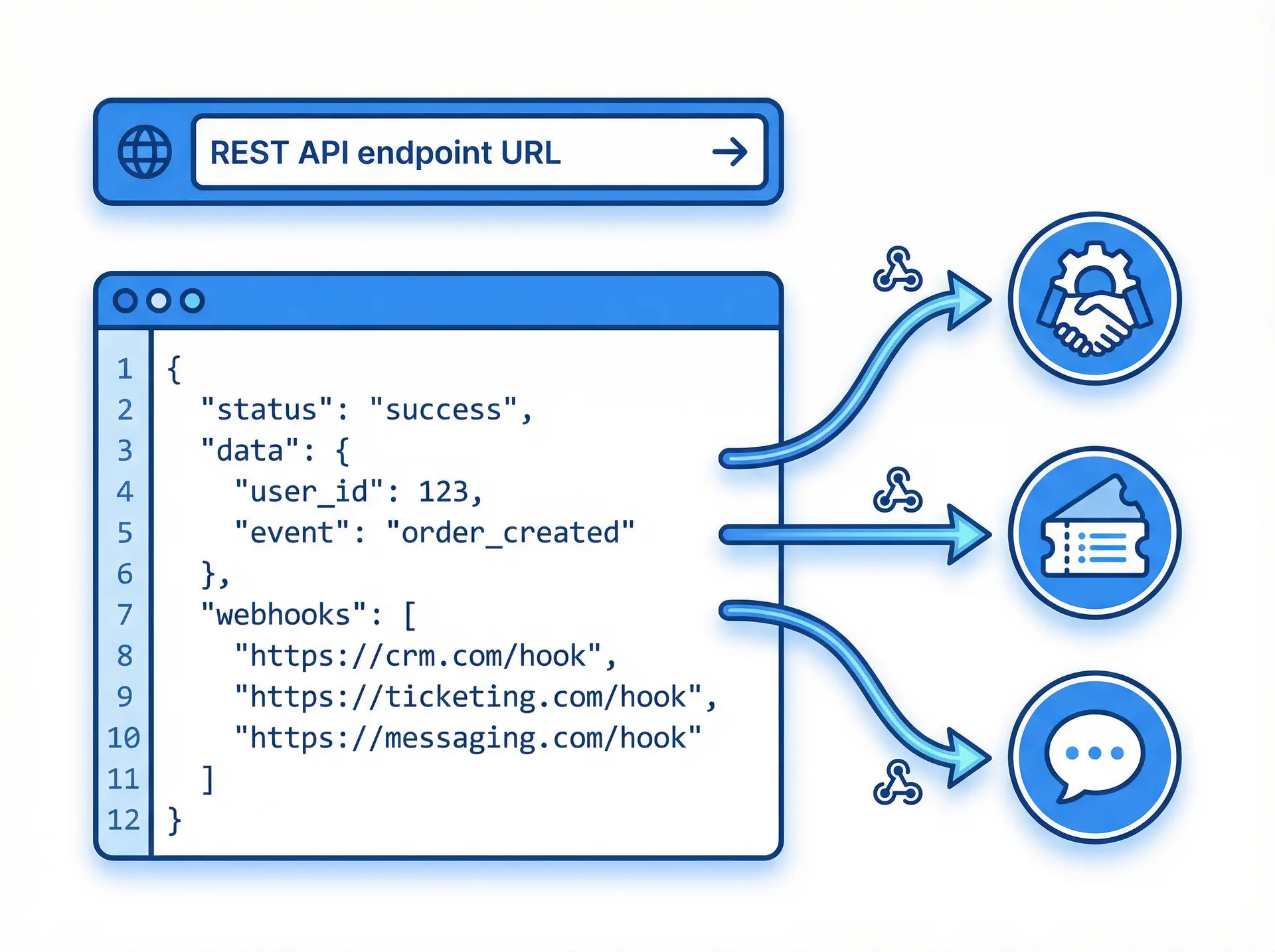
Webhook notifications deliver real-time event data to your systems the moment a phone line failure is detected, enabling automated incident creation, escalation workflows, and self-healing infrastructure responses. The API is designed for reliability and ease of integration with any modern development stack.
- No credit card required
- Full feature access
- Cancel anytime
Always Connected
What is the PNM API?
- Full RESTful API with JSON request and response format
- API key authentication with configurable access scopes
- Retrieve call results, uptime statistics, and monitoring plan data
- Create, update, and delete monitoring plans programmatically
- Configure alert recipients and notification channels via API
- Webhook notifications for real-time failure and recovery events
- On-demand test call triggering via API
- Comprehensive API documentation with code examples

Everything You Need
RESTful API
Webhook Notifications
On-Demand Test Calls
Secure API Key Authentication
Full CRUD Operations
Third-Party Integrations
Developer Documentation
Custom Alert Routing
Simple Setup
How It Works
Generate Your API Key
Create an API key in your PNM dashboard with the appropriate access scope for your integration.
Make API Requests
Use standard HTTP GET, POST, PUT, and DELETE requests with your API key to interact with monitoring data and configurations.
Configure Webhooks
Register your webhook endpoint URL in PNM. When events occur, PNM sends a JSON payload to your endpoint in real time.
Build Your Integration
Use the API and webhook data to build custom dashboards, automate incident creation, or trigger self-healing workflows.
Why Teams Choose This Feature
- Eliminate manual dashboard monitoring with automated data retrieval and alerting
- Integrate phone line health into existing incident management workflows
- Trigger automated remediation actions the moment a failure is detected
- Build custom reporting and visualization tools using raw monitoring data
- Scale monitoring management across hundreds of numbers without manual effort
- Validate deployments automatically with on-demand test call triggering
- Unify phone line monitoring with your broader observability and ITSM ecosystem
Ready to get started?
Join thousands of businesses that rely on Phone Number Monitoring to keep their phone lines performing at their best.
Real-World Applications
Who Uses This Feature
DevOps & SRE Teams
ITSM Platforms
Custom Dashboards
CI/CD Pipelines
Managed Service Providers
Telecom Providers
Frequently Asked Questions
What authentication method does the PNM API use?
What events trigger webhook notifications?
Is there a rate limit on API requests?
Can I trigger a test call via the API?
Where can I find the API documentation?
Start Monitoring Today — Free Trial
No credit card required. Set up in minutes. Experience the full power of Detailed Analytics with a free trial account.
No credit card required • Full access to all features • 30-day trial