IVR Monitoring
IVR Monitoring
IVR monitoring is the continuous, scheduled testing of a live phone system from outside your network. Automated calls run on the cadence you set, check that the line answers and that your menu options still behave, and escalate to your on-call team the moment they stop.
The failures it catches are the ones internal monitoring is blind to by design: a carrier that stopped routing your toll-free number, a DID that was quietly deprovisioned, a menu edited on a Friday. Your trunks are registered and your queues are up. Nobody can get through.
- No credit card required
- Published pricing
- Alerts in minutes, not complaints
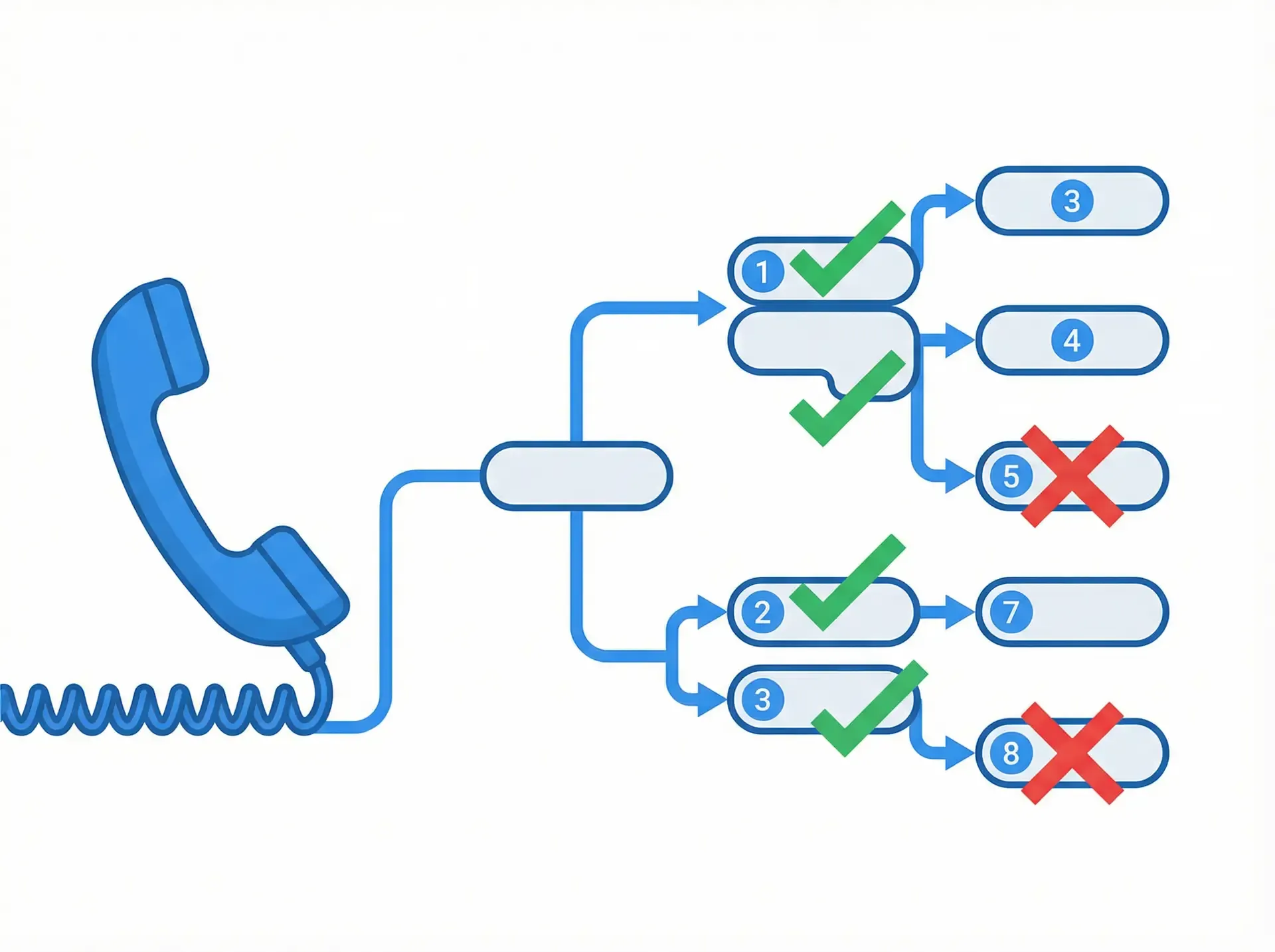
Monitoring is testing that never stops
The checks are the same. The difference is when they run and what they are pointed at.
IVR testing is usually something you do before a change ships. You edited the call flow, you want to know you did not break anything, you walk the paths against staging and you move on. It answers a question about a change.
IVR monitoring runs those same checks on a schedule against the production number, indefinitely. It answers a different question: is it still working right now? Nothing about a successful test last Tuesday tells you a carrier has not rerouted your toll-free number since.
That is the whole argument for continuous monitoring in this category. Phone systems do not usually fail because someone deployed something. They fail because something upstream changed and nobody was watching the one thing customers actually use.
What you are actually monitoring for
Four failures that make up most incidents, and all four look healthy from inside:
The DID stopped terminating
Your SIP trunk is registered, your PBX is healthy, every internal dashboard is green, and calls to one number go nowhere because the carrier stopped routing it. Only an inbound call from outside finds this.
Someone edited the call flow
A new option was inserted into the main menu and every subsequent option shifted by one. The IVR is perfectly healthy and sending everyone to the wrong department.
The recording is stale
Routing is correct, the menu works, and the greeting is announcing opening hours that changed in January.
The after-hours tree never switched back
A holiday schedule stayed on past the holiday. Callers hear the closed message on a Tuesday morning and nobody internally notices, because nobody calls their own main number.
The mechanism
How IVR monitoring works
Add your numbers
Toll-free, DID, landline or VoIP. Each number becomes a monitoring plan with its own schedule and expected outcome.
Set the cadence
Choose how often each plan runs and on which calendar. Critical paths get tested frequently; deep menu walks less often.
Calls run continuously
Each run places a real inbound call, checks the response against what you declared, and writes the result and an audio recording to history.
Failures escalate
After the configured retries, alert groups fire in order until someone responds: phone, SMS, email, then webhook.
Schedules You Control
Outside Your Network
Retries Before Alerts
Branch-Level Checks
Prompt Content Checks
Response Time Tracking
Alerting that does not cry wolf
Phone networks are noisy. A single failed call is not an outage, and a monitoring system that pages on every one gets muted within a week, at which point you are paying for nothing.
So nothing escalates immediately. A configurable number of recalls runs first. Only when the failure persists do alert groups fire, in the order you set, with the devices inside each group escalating in order too.
A typical ladder: phone the on-call engineer, then SMS them, then email the team, then POST a webhook that opens an incident. Groups can fire in sequence or simultaneously, depending on whether you want a chance to acknowledge before the whole team hears about it.
Because webhook payloads carry substituted values from the failed run, the incident that lands in PagerDuty, Opsgenie, Slack or your own endpoint already says which number failed and how.
Evidence, not just a red dot
Every run is recorded, which changes the conversation after an incident. You are not asserting the line was down; you can play the call.
- Which number failed, on which run, and at which step
- What the line returned versus what was expected
- An audio recording of the call itself
- Connect, hold and agent-response times on Premium plans
- The alert trail: who was paged, on which device, in what order
- A durable history you can hand an auditor or an unhappy customer
For regulated lines, emergency and accessibility numbers in particular, the scheduled history is the artefact that matters. It shows the line was checked on a cadence, and what the result was each time.
No quote required
What IVR monitoring costs
Which tier you need
Basic Monitoring, from $9.99/mo for 5 lines. Checks that a line is reachable and answers. If the question is “is this number up?”, this is the tier.
Premium Plan, from $199.99/mo for 5 lines. Adds IVR tree navigation and DTMF, hold-time and agent-availability tracking, conference audio quality, and data export or API access. If the question is “does option 3 still reach billing?”, this is the tier.
A worked example
Three toll-free numbers, checked for reachability every 30 minutes, around the clock.
- Basic Monitoring, 5 lines
- $9.99 / mo
- 3 numbers × 48 checks/day × 30 days
- 4,320 calls
- 1 credit each (US & Canada)
- 4,320 credits
- Roughly
- $226 / mo
At the 5,000-credit rate of $0.05 per credit. Halve the cadence to hourly and the credit cost roughly halves with it. Frequency, not line count, is what drives the bill. US and Canada calls cost 1 credit; international calls cost 1 to 6.
Accounts above 300 credits a month, or placing calls costing more than 2 credits, need authorisation first, so an always-on setup at this volume is a short conversation rather than pure self-serve.
Related capabilities
IVR testing
Menu-tree validation, test scenarios and the cases worth writing.
Automated IVR testing
Regression suites, scheduling and the API for wiring tests into your own workflow.
Response time measurement
Connect, hold and agent-response times to the second, for SLA reporting.
API and webhooks
Poll job status programmatically, or push failures into your own alerting.
Comparing us against another vendor?
We publish a comparison against every vendor we regularly lose and win against, each one naming the thing they do better than us. Start withCyara,Klearcom,Spearline after the Cyara acquisition,IR orTelcoAlert, or seeall seven comparisons.
Frequently asked questions
What is IVR monitoring?
How is IVR monitoring different from IVR testing?
Why not just monitor from inside our network?
How quickly will I know about an outage?
What gets me paged, and can I stop false alarms?
Which plan do I need?
Can alerts reach our existing on-call tooling?
Start monitoring your numbers today
Add your first number during the 30-day trial. No credit card, no sales call, and the pricing is on the site.
No credit card required • Full feature access • 30-day trial